ISSINE eTires Ecosystem Partner Series #2: Collecting the Right Information Before Registering a Vendor
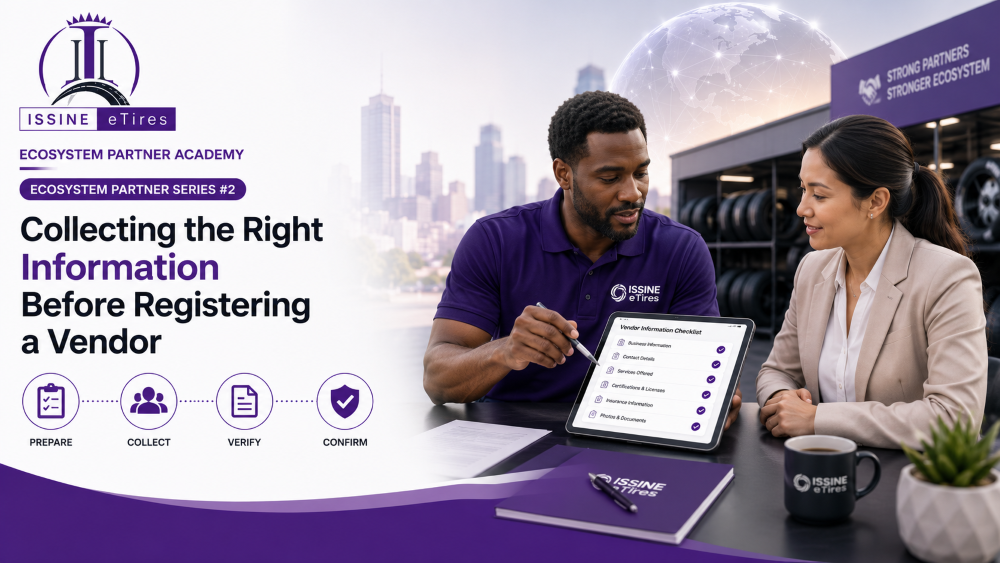
Once you have identified a qualified automotive business, the next step is preparing the vendor for registration.
One of the most common reasons onboarding is delayed is incomplete or inaccurate information. Taking a few minutes to gather the correct details before registration saves time and creates a better experience for both the vendor and the ISSINE eTires Administration Team.
As an Ecosystem Partner, your role is to simplify this process and help vendors become registration-ready.
Why Accurate Information Matters
Every vendor profile becomes part of a growing automotive marketplace.
The information collected during registration helps customers discover the business, allows the platform to validate the profile, and enables future communication between the vendor, customers, and the ISSINE eTires team.
A complete profile also builds credibility and trust.
Minimum Information Required
Before opening the registration page, collect the following information.
Business Name
Use the vendor's official business name or trading name.
Avoid abbreviations unless they are commonly used by the business.
Example:
ABC Tire Center
Royal Express Tire Shop
Precision Auto Solutions
Business Owner or Authorized Representative
Record the name of the person responsible for managing the business.
This individual will receive important communications regarding the vendor account.
Business Location
Collect the complete business address whenever possible.
Include:
City
State or Province
Country
Accurate location information helps customers find nearby vendors and supports future location-based services.
Business Phone Number
Ensure the phone number is active and regularly monitored.
Customers may use this number to contact the business directly.
Valid Email Address
Every vendor should have a professional email address.
The email is used for:
Account access
Password recovery
Platform notifications
Customer communications
Administrative updates
No Email? No Problem.
Many small businesses still operate without a dedicated business email.
Rather than seeing this as a challenge, view it as your first opportunity to create value.
Help the vendor:
Create a professional email account.
Use the business name whenever possible.
Set a secure password.
Add a recovery phone number.
Explain how the email will be used within the platform.
This simple step strengthens the vendor's digital presence beyond ISSINE eTires.
Business Category
Identify the category that best represents the vendor's primary activity.
Examples include:
Tire Shop
Auto Repair
Mobile Mechanic
Auto Parts
Fleet Services
Tire Distributor
Tire Manufacturer
Roadside Assistance
Logistics
Professional Services
Choosing the correct category improves search results and helps customers quickly find the right business.
Verify Before Registering
Before proceeding, review the information with the vendor.
Confirm that:
The business name is correct.
The owner's name is accurate.
The phone number is active.
The email address is working.
The location is complete.
The selected category matches the business.
Correcting small mistakes now avoids unnecessary delays later.
Your Role as an Ecosystem Partner
Collecting information is more than completing a form.
It is your first opportunity to build trust with the vendor.
By helping businesses organize their information, establish a professional email address, and prepare for registration, you are creating a stronger foundation for long-term success within the ISSINE eTires ecosystem.
Every accurate profile contributes to a more reliable marketplace for customers, vendors, manufacturers, distributors, and ecosystem partners.
Ecosystem Partner Tip
Before opening the registration page, keep a simple vendor checklist with you.
A five-minute review can prevent hours of follow-up later.
Prepared vendors complete registration faster, receive approval sooner, and begin growing on the platform more quickly.
Coming Next
ISSINE eTires Ecosystem Partner Series #3
Registering a Vendor on ISSINE eTires
Learn how to guide vendors through the registration process, complete their profile correctly, and avoid common onboarding mistakes.
88
Views
0
Likes
0
Comments
0 Comments
No comments yet. Be the first to comment!